Pconsole
A tiny, easy-to-use runtime console for Panda3D-powered applications, published on PyPI.
At a glance
- Python, Panda3D
Tags
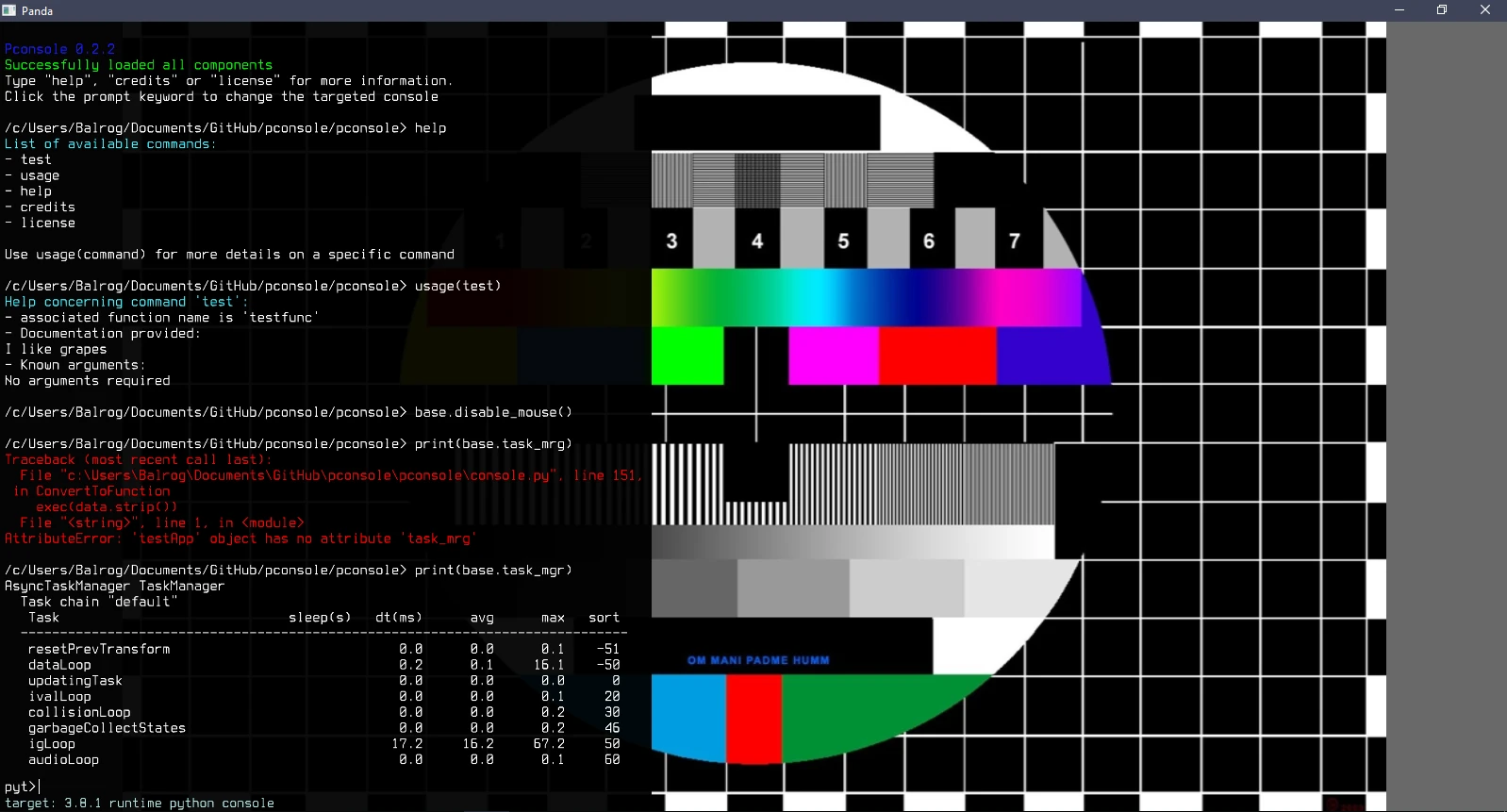
A tiny runtime console for Panda3D applications. You give it a dictionary of command names and functions, a key to toggle it, and a command line is available in your running app. It is installable with pip install pconsole.
Setting it up
python
import pconsole

commands = {"func1_string": func1,  # "associated string": function
            "func2_string": func2}
console = pconsole.Console()
console.create(commands, event="t")  # t toggles the console; f1 by default
Two commands exist out of the box: help lists the available commands, and usage gives details about one of them.
Reaching your app
Passing the application object when creating the console lets the Python interpreter built into it read and change the attributes and variables of your main class, which it knows as main:
python
console.create(commands, event="t", app=self)